Skip to content

How it works

From “What will it cost?” to a clear answer.

Follow one kitchen painting estimate from the first line item to the link your customer opens.

  1. 01

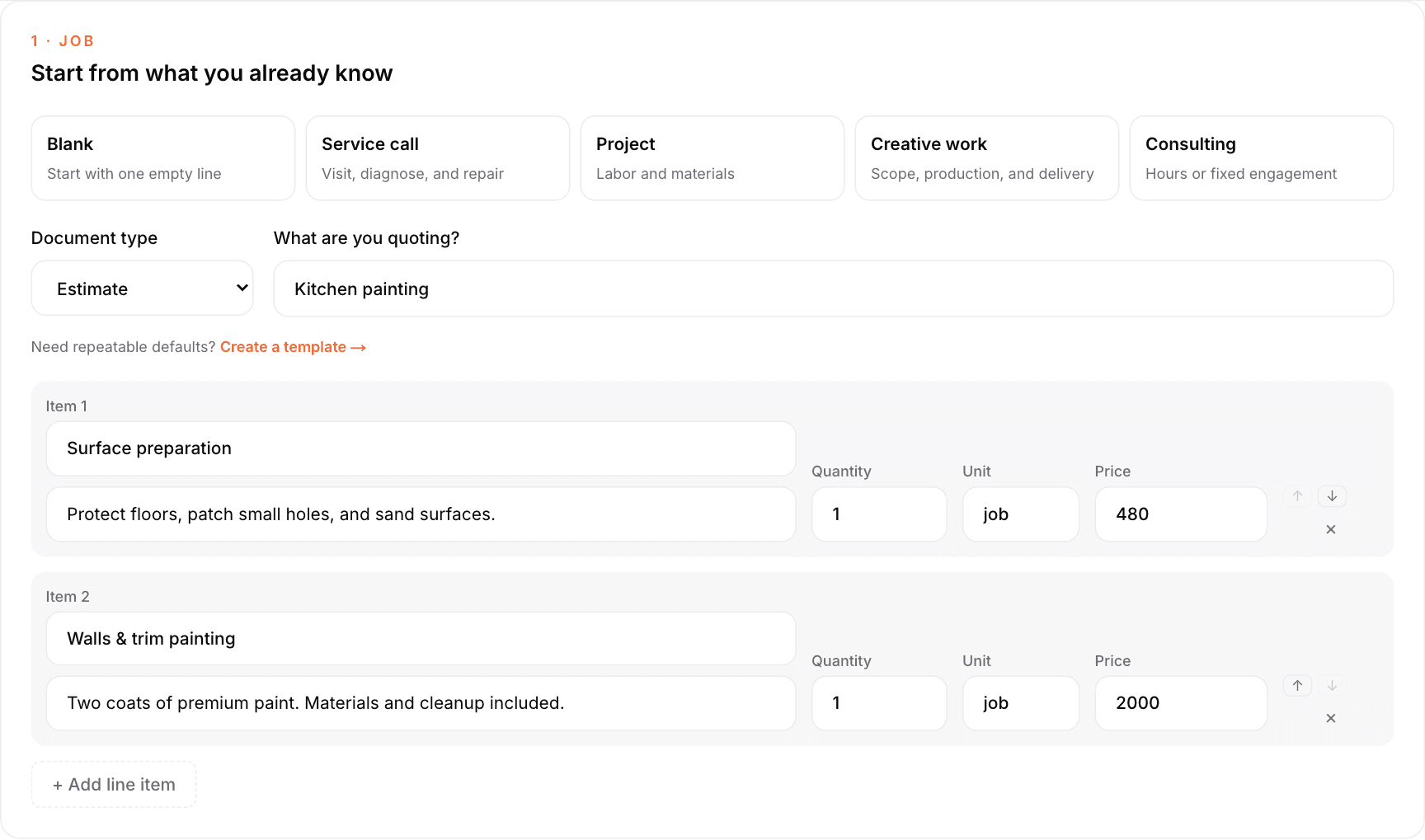
    Describe the work. Set your price.

    Start from a saved template or a blank sheet. Add your services, quantities, and rates — the totals follow along as you type.

    Dashboard · New estimate
    Kitchen painting estimate with preparation and painting line items

    Kitchen painting estimate with preparation and painting line items

    Kitchen painting estimate with preparation and painting line items

    Example estimate with fictional business and customer details.

  2. 02

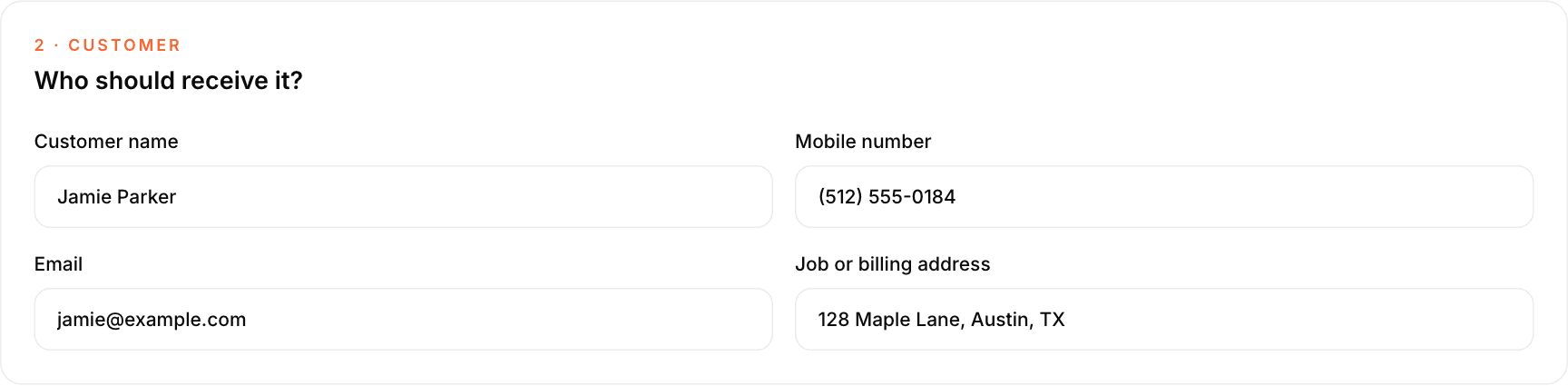
    Add your customer.

    Name the job and the person it is for, then spell out what is included, what is not, and the terms you want to stand behind.

    Dashboard · New estimate
    Customer details filled in for Jamie Parker's painting estimate

    Customer details filled in for Jamie Parker's painting estimate

    Customer details filled in for Jamie Parker's painting estimate

    Example estimate with fictional business and customer details.

  3. 03

    Send one private link.

    Hand it off by text or provider-backed email, or copy the link yourself. The version you sent is preserved exactly as your customer read it.

The customer's side

This is what lands in your customer's hands.

One private link, opened on any phone or computer. No app, no account, no password — just the estimate and a way to answer it.

  • Approve it

    Their named response records approval against the exact version they read.

  • Request changes

    They explain what should be different, and you turn it into a revision.

  • Ask a question

    A short message reaches you without starting a phone tag loop.

  • Decline with a reason

    You learn why the job went elsewhere instead of guessing at silence.

Questions and change requests are part of the Pro plan; approvals and declines are included in every plan.

getestimateloop.com/e/…

Pricing

Simple, transparent pricing

Both plans include unlimited estimates. Pro adds the customer conversation.

Questions, answered simply.

Your next estimate

Send it before the opportunity goes quiet.

Turn your next job into a clear, professional estimate. Keep the scope, the customer's answer, and your next follow-up together.

No card required · No automatic charge